Newsletters can change the game for your blog. They help you connect directly with readers who love your content. No more relying just on search engines or social media algorithms. A good newsletter builds loyalty, drives more traffic back to your posts, and even opens doors to making money. If you’re blogging in the USA, this is a smart move to grow your audience steadily. Let’s walk through how to set one up, step by step.
Why Start a Newsletter Now?
Think about it. Your blog posts are great, but not everyone sees them right away. A newsletter sends your best stuff straight to inboxes. It keeps readers coming back. Plus, emails have higher engagement than social posts. For bloggers, this means more page views and a stronger community. I’ve seen bloggers double their traffic just by sharing weekly updates. It’s worth the effort.
Plan Your Newsletter Strategy First
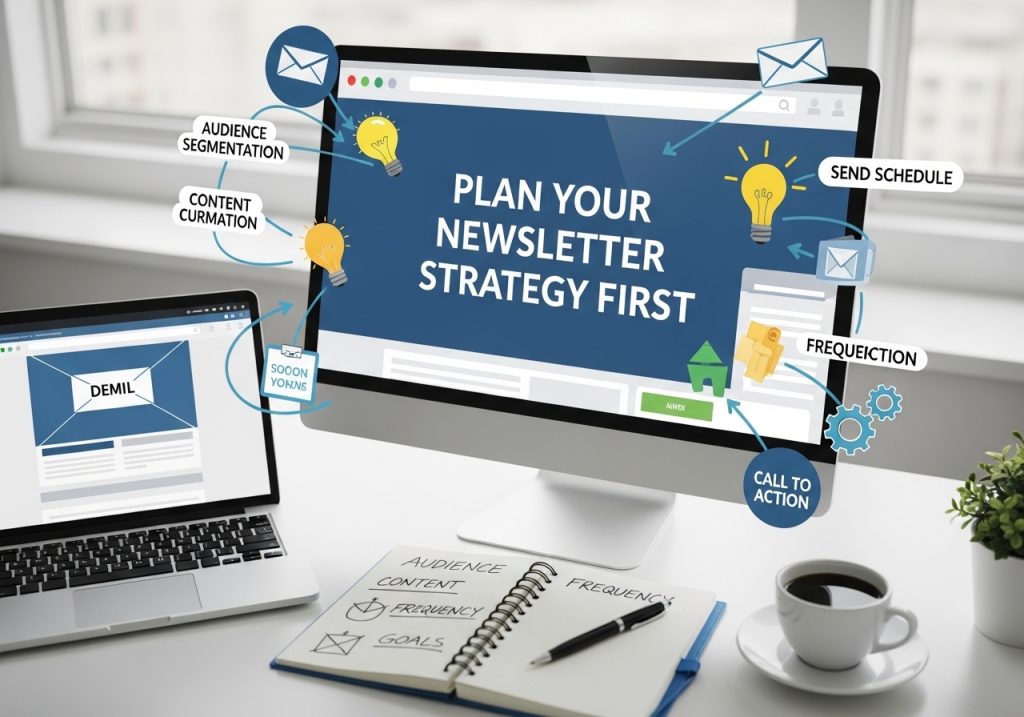
Don’t jump in without a plan. Start by asking what you want from this. Do you aim to share new posts, offer exclusive tips, or promote products? Know your readers too. If your blog is about gardening, your audience might want quick tips on seasonal plants.
Pick a schedule that works. Weekly is common for active blogs. Monthly if you’re just starting. Decide on content types. Mix blog highlights with fresh ideas. For example, tease a new post with a short summary and a link. This drives clicks.
A big gap in other guides is ignoring blog-specific plans. Tie your newsletter to your blog’s theme. If you write about travel, include subscriber-only stories from your trips. This makes it feel special.
Choose the Right Tools
You need an email service provider, or ESP. Free options like Mailchimp or Brevo work for beginners. They handle sign-ups, designs, and sends. Paid ones like ConvertKit add automation for bloggers.
Compare a few. Mailchimp is easy for designs. Substack blends newsletters with blogging. Pick based on your needs. If your blog is on WordPress, look for tools that integrate well. Avoid complex ones if you’re new.
Build Your Email List the Smart Way
Start with zero subscribers? No problem. Add a sign-up form to your blog. Place it at the end of posts or in the sidebar. Offer something free, like a downloadable guide from your niche.
Use pop-ups wisely. Time them to appear after someone reads for 30 seconds. Share your form on social media too. Ask followers to join for updates.
Grow organically. Guest post on other blogs and include a link to your sign-up. Run a giveaway tied to subscribing. Aim for quality over quantity. Engaged readers matter more.
Stay Legal and Compliant in the USA
Many guides skim this, but it’s crucial. In the USA, follow the CAN-SPAM Act. Include your physical mailing address in every email. Add an easy unsubscribe link. No tricky subject lines that mislead.
Get consent. Use double opt-in where subscribers confirm via email. This cuts spam complaints. If you have international readers, check GDPR too. But for USA focus, CAN-SPAM keeps you safe. Tools like Mailchimp handle this automatically.
Create Content That Readers Love
Here’s where bloggers shine. Pull from your posts. Turn a long article into a newsletter by sharing key points and linking back. Add value with extras, like a personal note or quick tip.
Keep it simple. Short paragraphs. Use bullets for lists. For a food blog, share a recipe teaser: “Try this easy pasta dish from my latest post. Ingredients: – Pasta – Sauce – Cheese. Click for the full recipe.”
Avoid fluff. Answer questions like “What’s new on the blog?” or “How can I apply this tip?” Make it conversational, like chatting with a friend.
A missed spot in competitors: Content ideas for blogs. Brainstorm themes. Weekly roundups of your posts. Behind-the-scenes on how you wrote an article. Reader Q&A.
Design Your Newsletter to Stand Out
No design skills? Use templates. Keep it clean with your blog’s colors and logo. Add images from your posts, but resize them small to load fast.
Structure it like this: Greeting, main content, call to action, footer. Test on mobile – half your readers use phones. Tools preview this.
Example: For a tech blog, use a header image of a gadget, then bullet out tips, and end with “Read more on the blog.”
Integrate Your Newsletter with Your Blog
This is often overlooked. Link them seamlessly. Embed sign-up forms in your blog using plugins like OptinMonster for WordPress.
Auto-send newsletters when you publish posts. Services like Zapier connect your blog to your ESP. This saves time.
Track clicks back to your site. See which posts get the most love from emails.
Send and Optimize Your First Newsletter
Write a catchy subject line. Like “Fresh Blog Tips: Boost Your Garden This Week.” Not “Newsletter #5.”
Preview everything. Send a test to yourself. Schedule for peak times, like Tuesday mornings.
After sending, check opens and clicks. Low opens? Tweak subjects. Use A/B tests – send two versions to small groups.
Track Performance and Improve
Basic stats are good, but go deeper. Look at click-through rates to see what content works. Tools show which links get clicked.
Spot trends. If travel tips get more opens, do more of those. Survey readers occasionally: “What do you want next?”
Advanced tip: Segment your list. Send plant care tips only to gardening fans.
Monetize Your Newsletter
Competitors skip this. Once you have subscribers, add value that pays. Include affiliate links to products you review on your blog.
Offer sponsored spots. Brands pay to feature in your emails. Or go paid: Charge for premium content via Substack.
Start small. Build to 1,000 subscribers first. Then test a paid tier with exclusive posts.
Avoid Common Mistakes
Don’t over-send. Stick to your schedule to avoid unsubscribes.
Skip boring subjects. Make them promise value.
Forget mobile? Readers won’t engage.
Ignore feedback. Always listen to what subscribers say.
Actionable Tips to Get Started Today
- Sign up for a free ESP like Brevo.
- Add a sign-up form to your blog’s homepage.
- Write your first newsletter: Summarize a recent post and add one new tip.
- Send to a small test group of friends.
- Track results and adjust.
Wrapping It Up
Creating a newsletter for your blog is straightforward once you plan it out. It grows your reach, strengthens connections, and can boost your income. Start small, stay consistent, and watch your blog thrive. You’ve got this – your readers are waiting.
FAQs
What if I have no subscribers yet?
Start by promoting your sign-up form on social media and in blog posts. Offer a freebie like an e-book to attract sign-ups.
How often should I send newsletters?
Weekly for active blogs. Monthly if you’re building up. Test what your readers prefer.
Do I need to pay for tools?
No. Free plans from Mailchimp or Brevo handle up to 2,000 subscribers.
How do I make money from my newsletter?
Use affiliates, sponsors, or paid subscriptions. Link to blog reviews with shop links.
What if my newsletter gets marked as spam?
Follow CAN-SPAM: Add unsubscribe and address. Clean your list regularly.
Can I reuse blog content?
Yes. Tease posts with summaries and links. Add fresh insights to keep it exciting.